Stripe Suspended Your Account? Here Is What To Do Next
A Stripe suspension feels like the floor dropping out, especially when payouts are frozen. Take a breath. Here is what it means, what to do in the next hour, and how applying to SwissPay works, with each application reviewed and underwritten in-house.
If Stripe suspended your account, an automated review likely flagged a restricted category, a volume spike or high chargebacks, and paused processing while Stripe holds your balance in reserve. Respond to Stripe's request to release held funds, export your data, and apply with a processor that underwrites your category up front.
Why did Stripe suspend my account?
Stripe usually suspends an account when an automated review flags it, most often for a restricted merchant category code (MCC), a sudden jump in processing volume, a chargeback ratio above threshold, or a mismatch between your stated and actual business. Stripe then pauses processing and can hold your balance in reserve while it requests documents and completes the review.
A suspension is rarely a judgement that your business is illegitimate. Stripe runs largely automated underwriting at scale, so a single trigger, such as a restricted vertical, a marketing complaint, a refund spike or growth that outpaces your baseline, can flip an account from active to suspended without a human reading the file first. Common triggers: your vertical sits in a category Stripe restricts or hesitates on (supplements and nutraceuticals, subscription and trial billing, telehealth, GLP-1 via telehealth through a licensed pharmacy, crypto, iGaming); a volume spike or new product looked anomalous to the risk model; your chargeback or dispute ratio crossed Stripe's threshold; or the stated business did not match the site, descriptor or transaction pattern.
What does a Stripe suspension mean for my funds?
A suspension pauses new charges and usually places your existing balance in a reserve while Stripe completes its review. Your funds are not gone. Stripe typically releases the reserve once you satisfy the review or after a hold period tied to your chargeback exposure. Responding quickly and completely is the fastest way to release held money.
The two things at risk in a suspension are separate: money already in Stripe, and your ability to keep selling. The balance in reserve is Stripe's, to cover potential refunds and chargebacks, and it is generally released after the review or the hold window closes. Moving to a new processor does not affect funds already sitting with Stripe, so applying elsewhere does not depend on the reserve being released.
On Shopify: what if Shopify Payments was suspended or froze my funds?
Shopify Payments is powered by Stripe, so a Shopify Payments suspension, hold or frozen payout is effectively a Stripe suspension and follows the same pattern. The same steps apply: respond to the review, export your Shopify order and customer data, and add a third-party payment provider so your store keeps taking orders while the hold clears.
Because Shopify Payments runs on Stripe's infrastructure, the trigger is usually the same list: a restricted category, a volume anomaly or elevated chargebacks. If Shopify Payments is suspended or on hold for your store, you do not have to wait it out with checkout down. Export your orders, customers and subscription data from the Shopify admin while you have access. Connect a third-party payment provider so checkout keeps working during the review. Apply to a processor that underwrites your category, rather than relying on the processor that just paused you.
As a PayPal-managed payment facilitator, SwissPay boards and underwrites stores in-house on PayPal rails and connects through its Shopify plugin. Mention the Shopify Payments or Stripe suspension when you apply, and SwissPay reviews your store like any other application. You do not need your own PayPal account.
What are my options after a Stripe suspension?
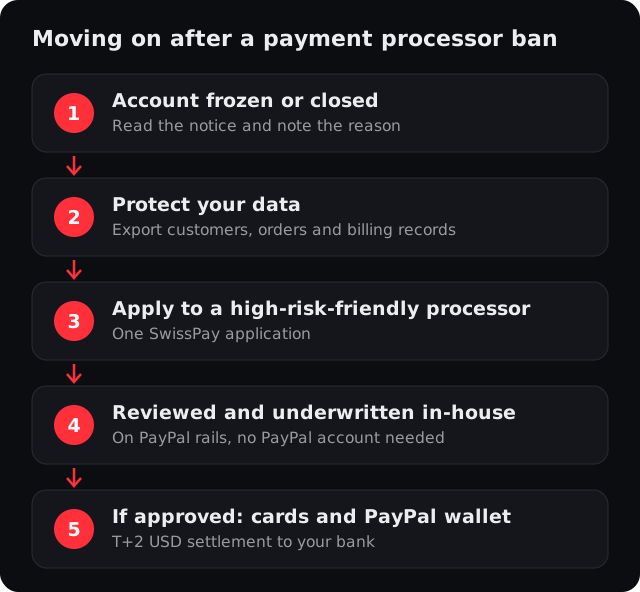
You have three moves, in order. Satisfy Stripe's review to release any reserve, and preserve your data and recurring billing before access changes. Then apply to a processor that underwrites your category up front, before you start processing, rather than one that restricts it in its terms. Each step protects your data or your next account.
- 1Read the email and respond
Stripe's message says why and what it wants. Reply and upload anything requested. This is your fastest route to releasing any held balance.
- 2Export your data now
Download your customer list, subscriptions and transaction history while you still have dashboard access, so nothing is stranded if access changes.
- 3Protect recurring revenue
If you bill subscriptions, note upcoming renewals and get a new processor in place before the next cycle so customers are not interrupted.
- 4Apply to a specialist processor
Apply with a processor that underwrites your category up front, rather than one that restricts it in its terms.
What does SwissPay offer after a Stripe suspension?
SwissPay is a PayPal-managed payment facilitator that reviews and underwrites your business in-house, separately from Stripe. Approved merchants take card and PayPal-wallet payments without needing their own PayPal account, with card and wallet vaulting for subscriptions, and many categories Stripe restricts, such as supplements, telehealth, crypto and iGaming, are supported here.
Underwritten in-house
SwissPay underwrites your business itself, so you do not need your own PayPal account and a category Stripe rejected does not automatically rule you out.
Built for subscriptions and rebills
Card and wallet vaulting for subscriptions, trials and rebills.
PCI DSS Level 1 security
Tokenized card vault, 3-D Secure 2 where required and real-time fraud scoring, plus chargeback and PayPal dispute handling with automated evidence.
Keep the integration quality
Shopify and WooCommerce plugins, a rich REST API and hosted checkout, so switching is a migration, not a downgrade.
How do I apply after Stripe suspended me?
Submit one online application with your business details, vertical, monthly volume and website, and note that Stripe suspended you. SwissPay reviews and underwrites you in-house, with no PayPal account of your own needed. Start at the application form or reach the team at support@swisspay.ai or (855) 929-5683.
- 1Apply and tell us
Complete the application with your business name, contact, website, vertical and monthly volume, and tell the team Stripe suspended or froze you.
- 2SwissPay reviews and underwrites
SwissPay reviews and underwrites your business in-house, so you do not need your own PayPal account.
- 3Complete onboarding
Complete online onboarding, then connect through the Shopify or WooCommerce plugin, the REST API or hosted checkout.
- 4If approved, go live
Take card and PayPal-wallet payments in USD, with T+2 settlement to your own bank account and card and wallet vaulting for subscriptions.
Ready to apply?
Apply once and SwissPay reviews and underwrites your business in-house, with card and wallet vaulting for subscriptions in its supported categories.
Start my applicationRelated
Frequently asked questions
Can I get my held Stripe funds back?
How long does Stripe hold funds after a suspension?
Why did Stripe suspend or shut down my account?
Shopify Payments was suspended or froze my payouts, is that the same thing?
Can SwissPay approve me if Stripe banned my category?
How do I start processing again after a suspension?
Apply for a merchant account
Tell us about your business. One application, boarded and underwritten in-house on PayPal rails, with card and PayPal-wallet processing built for subscriptions.
- Boarded and underwritten in-house, no separate PayPal account needed
- Card and PayPal-wallet vaulting for subscriptions, trials and rebills
- PCI DSS Level 1, 3-D Secure 2 where required, and chargeback and dispute handling built in